BETA · free · 30 conversions per fixed 24-hour window
Reboardly for FigJam

Bring the workshop wall into FigJam.

Upload a whiteboard photo, review the words and layout, then insert an editable reconstruction into the FigJam board where your team already collaborates.
Built for FigJamNative editable objectsFree during beta
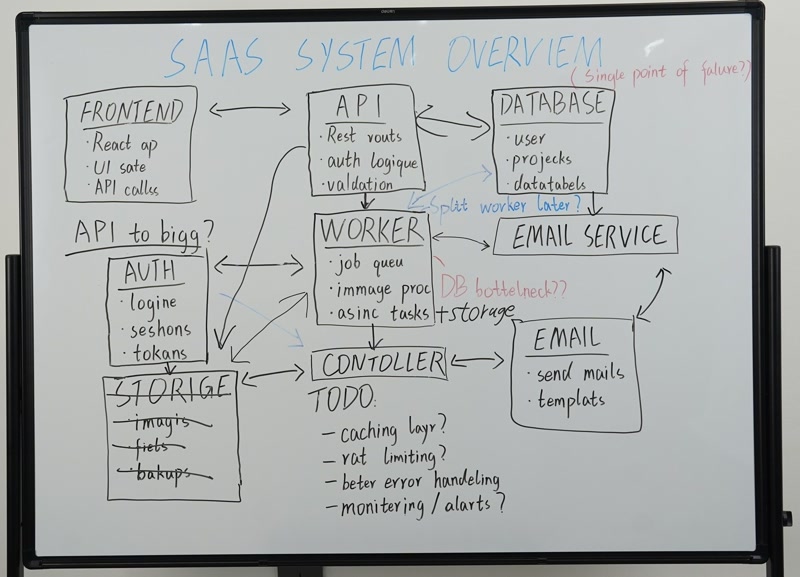
Source · whiteboard.jpg
Photographed workshop whiteboard
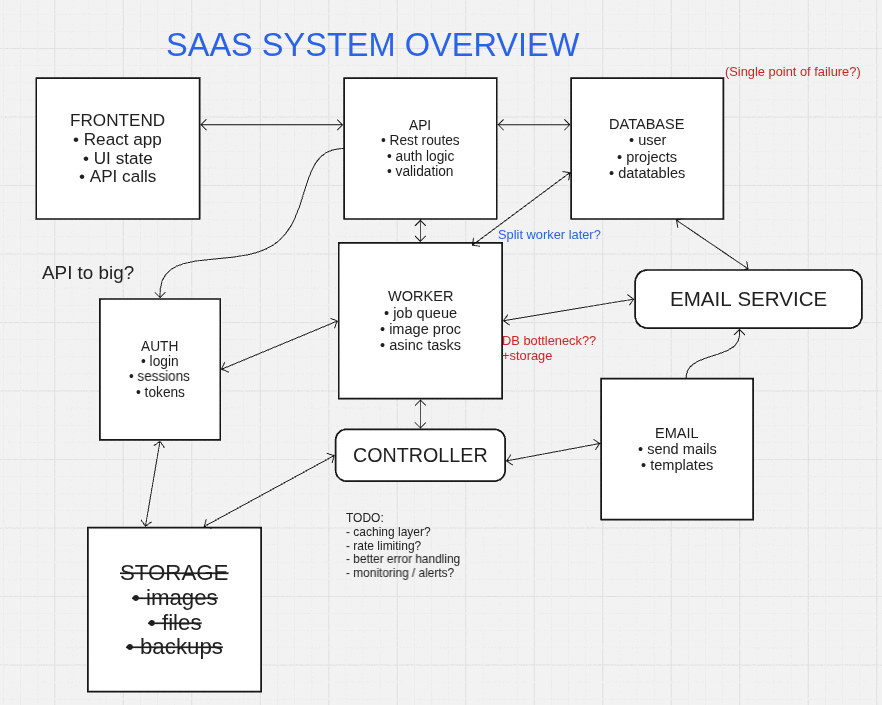
Reconstruction ready for FigJam
Reconstructed board preview for FigJam
photo in · editable board out
01Open the plugin

Start Reboardly from the FigJam plugin menu.

02Upload and review

Choose the photo, spelling decisions, and preferred layout.

03Insert into FigJam

Add the reconstruction as collaborative board objects.

Inside the plugin

A focused review before anything touches the board.

The plugin keeps the narrow, task-oriented Reboardly flow: source first, processing status, result preview, spelling decisions, layout choice, then insertion.

ReboardlyFIGJAM
Source whiteboard preview in the Reboardly FigJam plugin
Reconstruction readyMore space + alignment
OriginalMore spaceAligned
Insert result into FigJam
What comes across

Board structure, not a flattened image.

01

Native board objects

Reboardly maps the compiled scene to editable FigJam shapes, text, sticky notes, images, and connectors.

02

Spelling stays reviewable

Accept likely corrections or keep workshop shorthand before the reconstructed objects are inserted.

03

Layout choices

Compare the photographed geometry with variants that introduce breathing room and small alignment cleanup.

04

Shared Reboardly history

The FigJam plugin uses the same secure processing, job history, quota, retention, and diagnostics as Miro.

Add to FigJam

The Community install link is coming next.

The published plugin URL will replace this install-status destination as soon as the listing is ready.

Add to FigJam
Working in Miro instead?

Use the same engine in the Miro sidebar.

Explore Reboardly for Miro
FigJam FAQ

What to expect from the beta.

Is this a FigJam or Figma Design plugin?+
This integration is designed for FigJam boards. Reboardly inserts collaborative whiteboard objects into FigJam; it does not currently promise a Figma Design document workflow.
Does the result remain editable?+
Yes. Supported content is inserted as native FigJam objects rather than as one flattened screenshot. Some source styles may use the nearest FigJam-native approximation.
Will it alter existing FigJam content?+
No. Reboardly previews a new result and inserts new objects only after you choose to proceed. It does not intentionally modify or delete existing board content.
When can I add it to FigJam?+
The integration is being polished for marketplace submission. The Add to FigJam buttons will open the Figma Community listing as soon as its public URL is available.